8 Live Charts. One Screen.
Zero Monthly Fees.
The multi-chart layout TradingView locks behind a paid plan — crypto, stocks side‑by‑side, live on Windows or macOS. One download. No login. No API keys. No subscription, ever.
Watch the dashboard go live.
A quick walkthrough: pick your chart count, drop in your markets, and watch every pane tick in real time.
One chart per tab is costing you the trade.
On TradingView's free plan you get a single chart. To watch Bitcoin, Ethereum and your stocks at the same time you're flipping browser tabs — or paying every month for the multi-chart layout. It's the single most-requested fix in their own community, and it's still behind the paywall.
Tab-flipping loses you entries
By the time you've switched tabs to check the next pair, the setup you were watching has already moved. Real edges are won by seeing everything at once.
Multi-chart is paywalled
The grid layout that lets you watch several markets together is gated behind a recurring paid plan — a fee that never stops as long as you trade.
You rent it — never own it
Your charts live on someone else's cloud, behind someone else's login. Stop paying and it all disappears. You never actually own your tools.
A full trading desk in a single window.
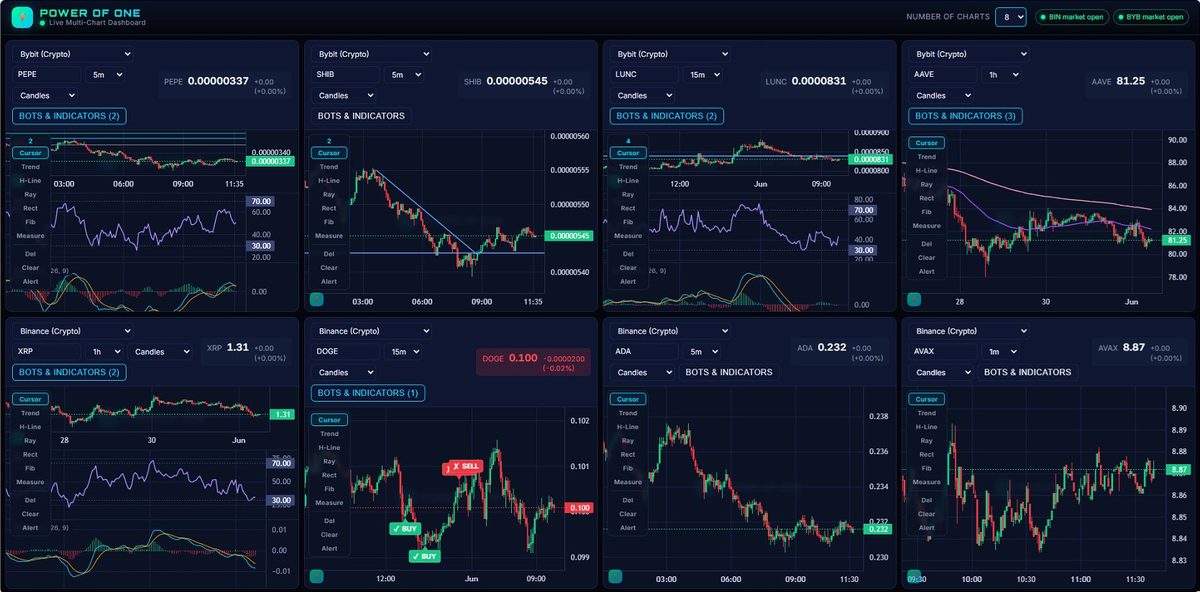
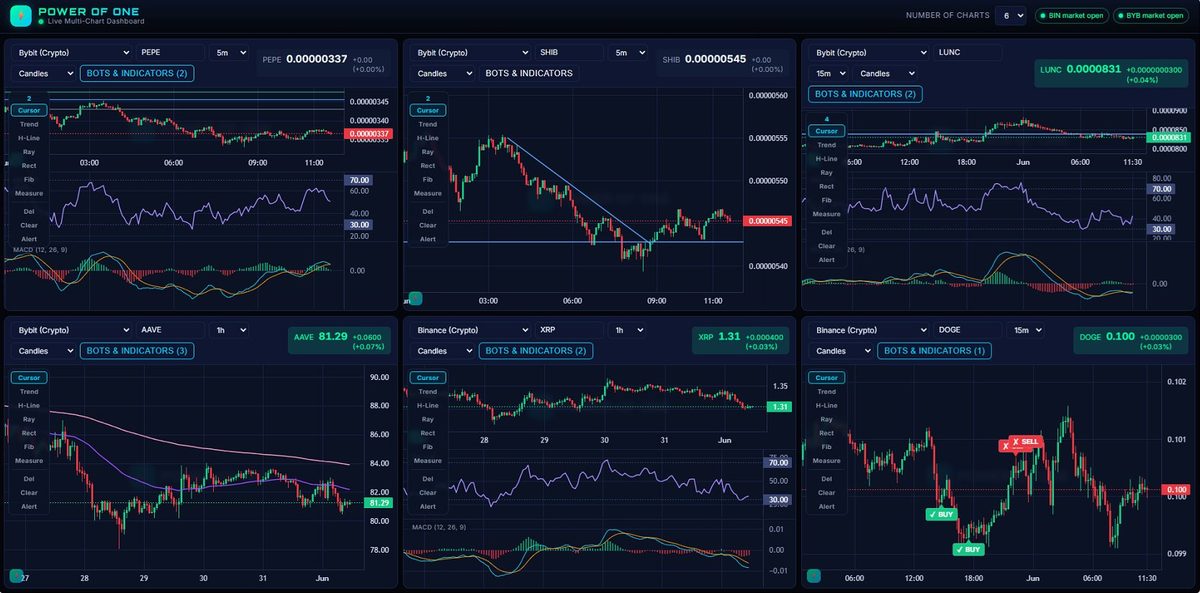
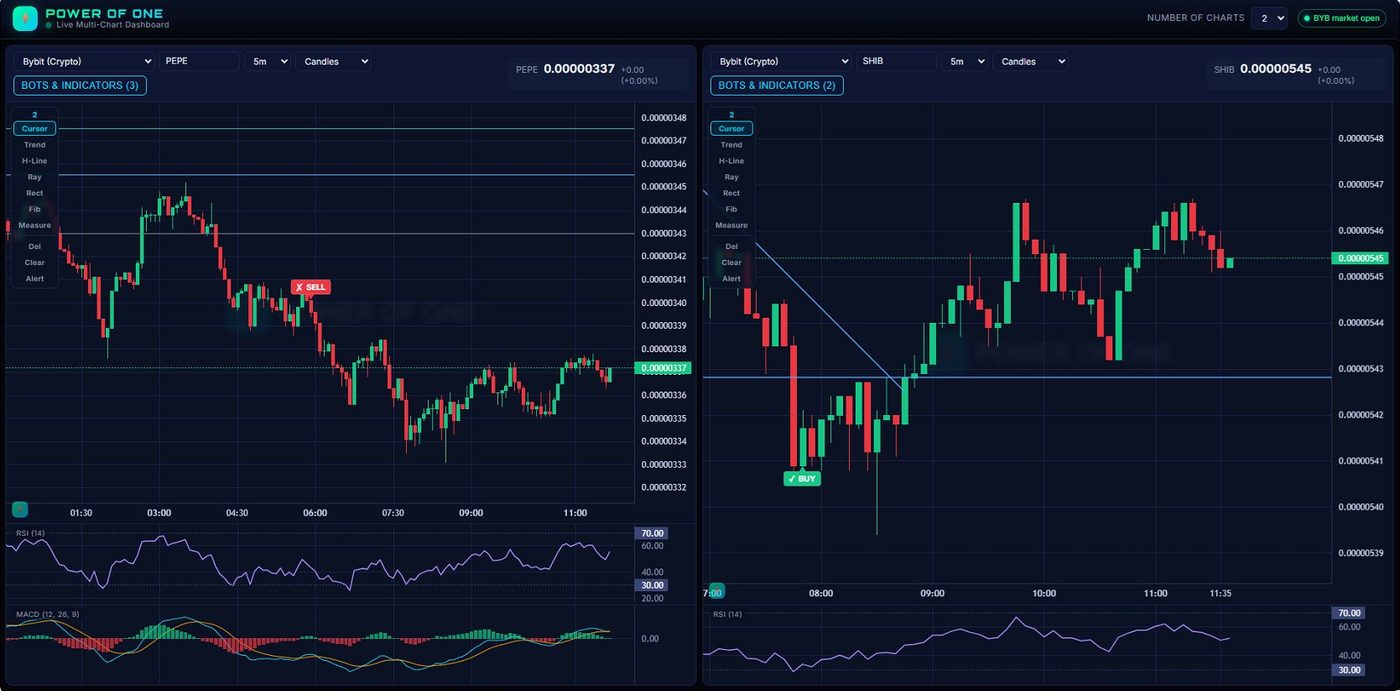
Up to 8 live charts
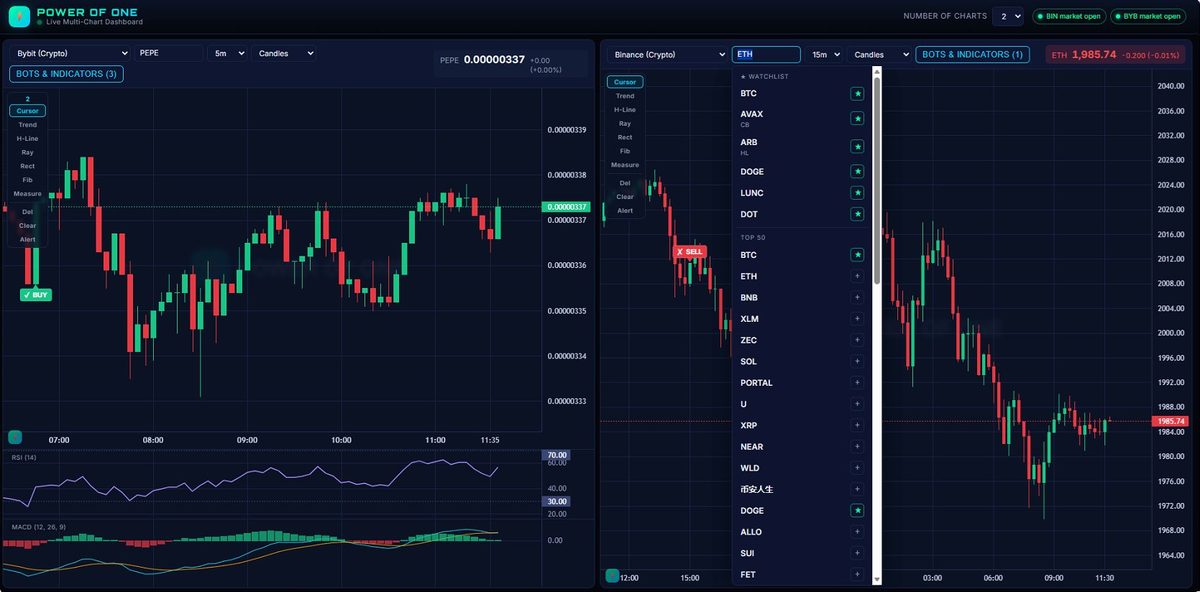
Switch instantly between 1, 2, 4, 6 or 8 charts in clean, optimized layouts — the whole market on one screen.
10 exchanges + global equities
Binance, Coinbase, Kraken, OKX, Bybit, Crypto.com, Gate, MEXC, Hyperliquid — plus Yahoo US & India equities. Per pane: pick source, symbol and timeframe.
21+ pro indicators
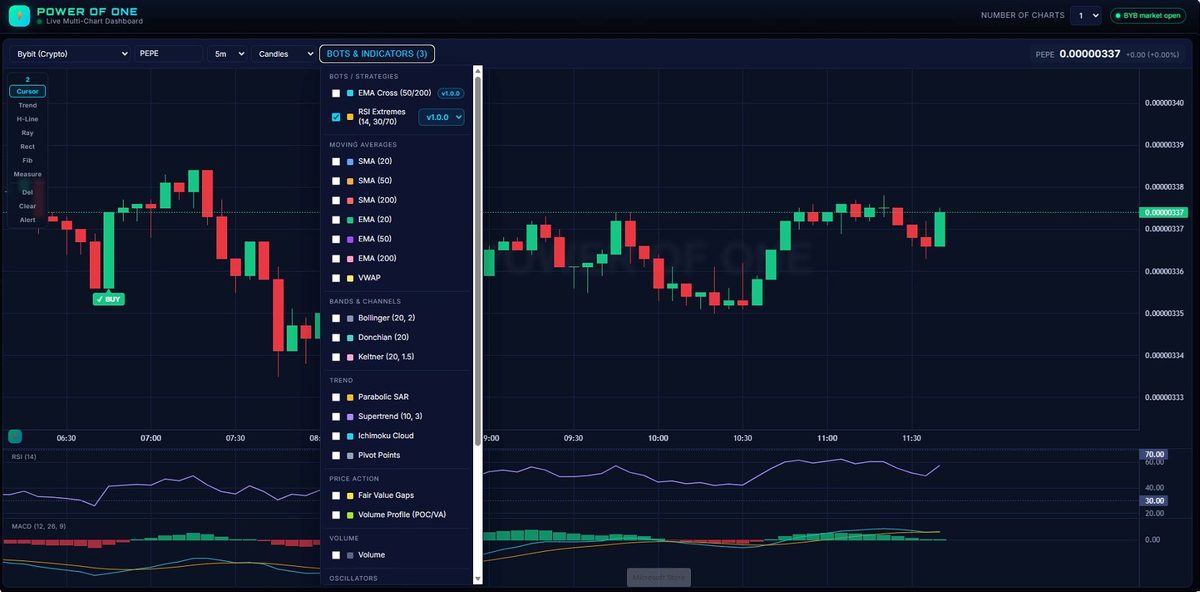
SMA/EMA (20/50/200), VWAP, Bollinger, Donchian, Keltner, Supertrend, Ichimoku, Parabolic SAR, Pivot Points, Fair Value Gaps, Volume Profile (POC/VA), RSI, MACD, Stochastic, ATR, ADX, CCI, MFI, OBV, Williams %R.
BUY/SELL bots & strategies
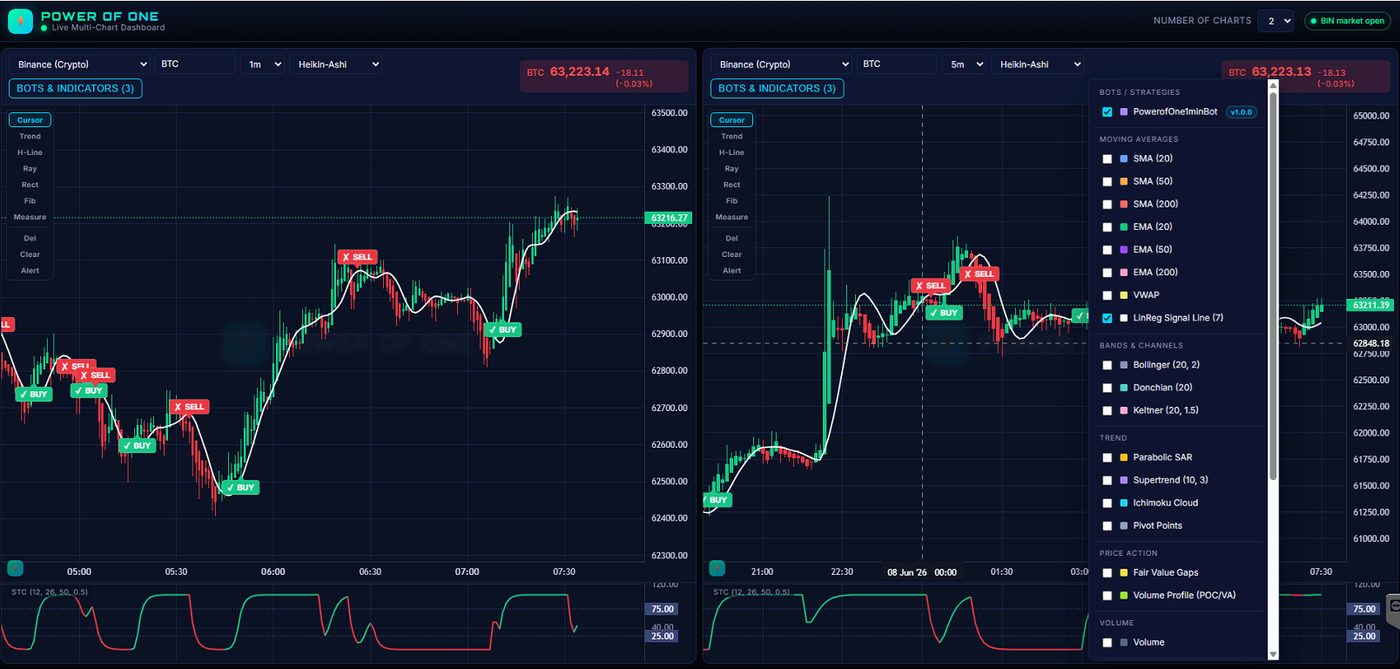
Drop a .js file into the bots/ folder — it appears in the menu on the next reload. No rebuild. Ships with RSI Extremes + EMA Cross. Versioning & rollback included.
4 chart types + live ticks
Candles, Line, Area and Heikin-Ashi per pane. Every ticker flashes green or red the instant price moves, powered by TradingView’s open-source Lightweight Charts.
Yours forever, your data
Your grid, symbols and timeframes load exactly how you left them. Runs locally on Windows and macOS — no login, no API keys, no cloud account, no subscription, ever.
Every selling point, in one frame.
A live tour of the whole dashboard — 10 exchanges, 21+ indicators, drop-in BUY/SELL bots, and the math vs TradingView Pro+. Hover to pause.
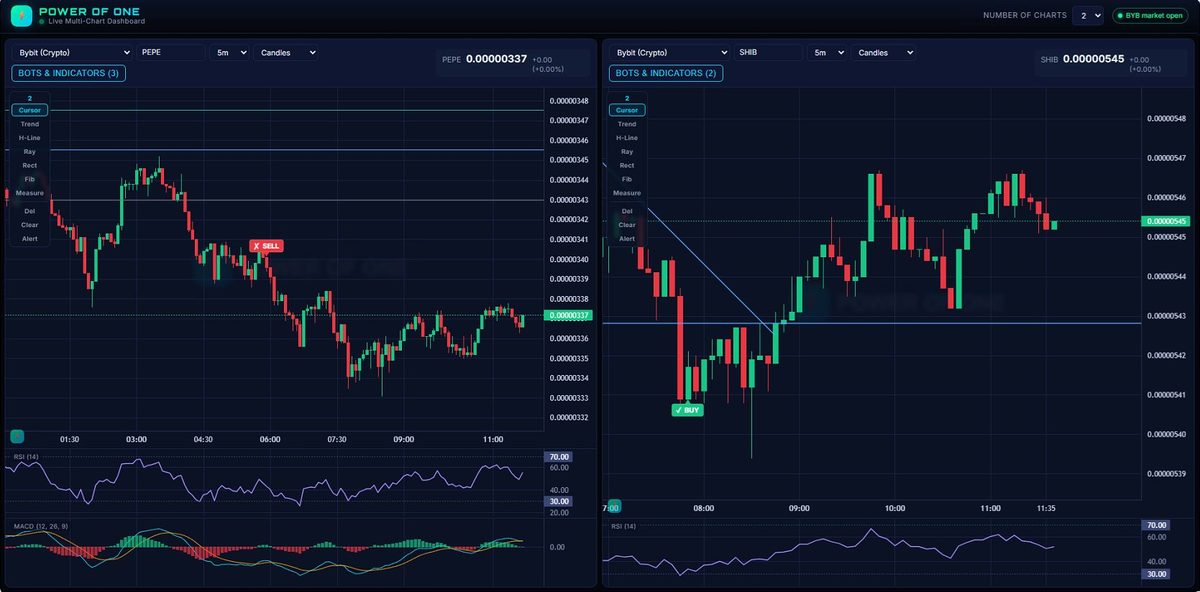
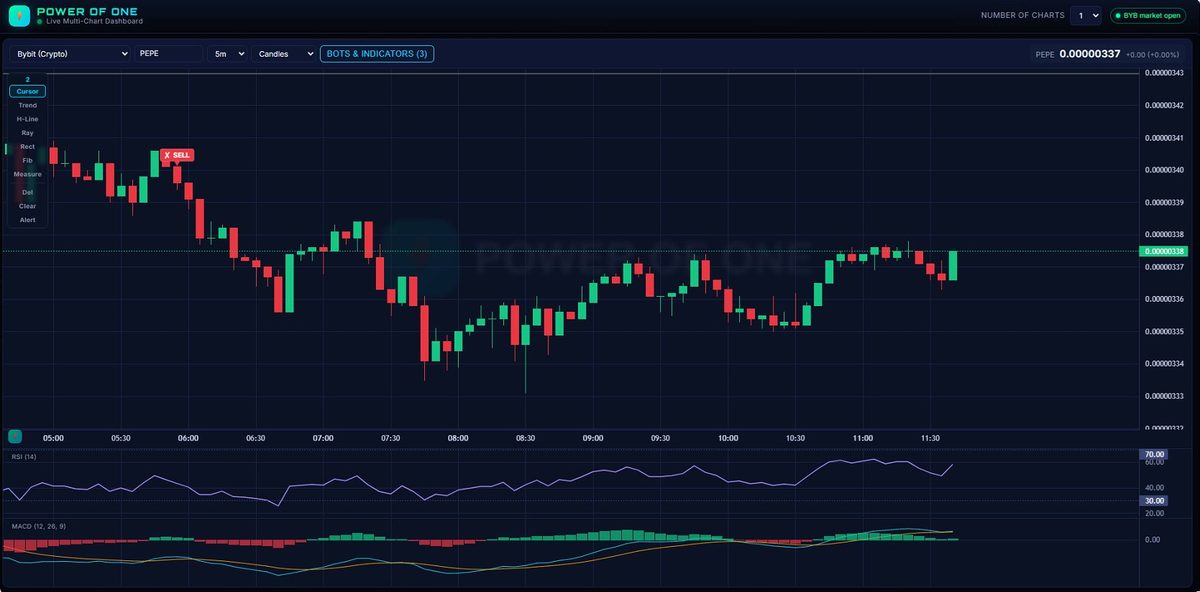
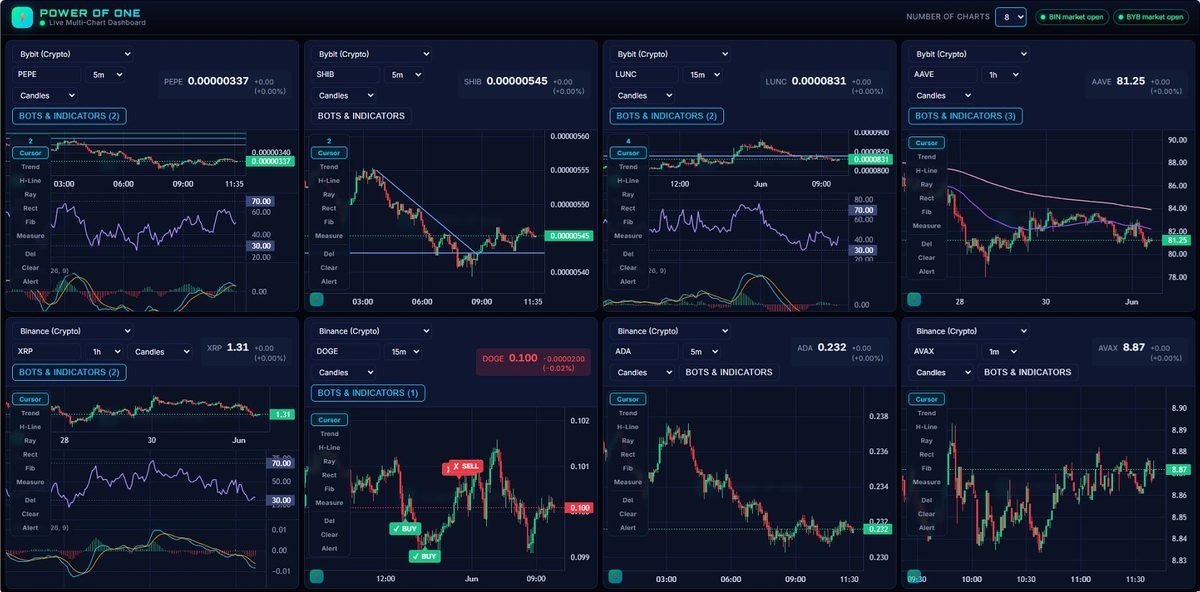
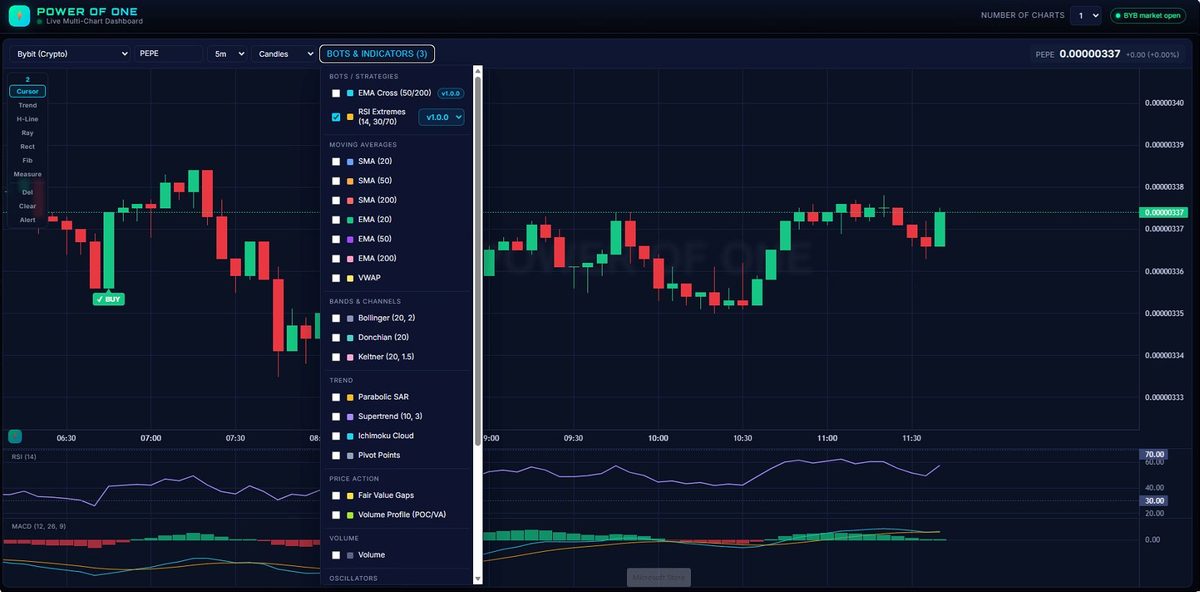
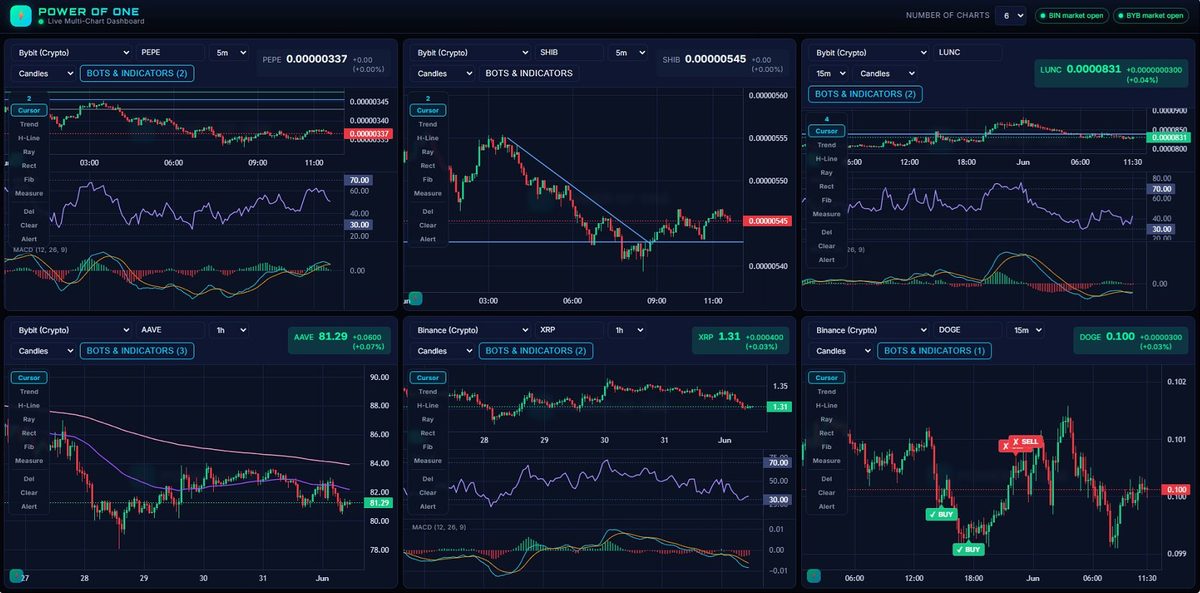
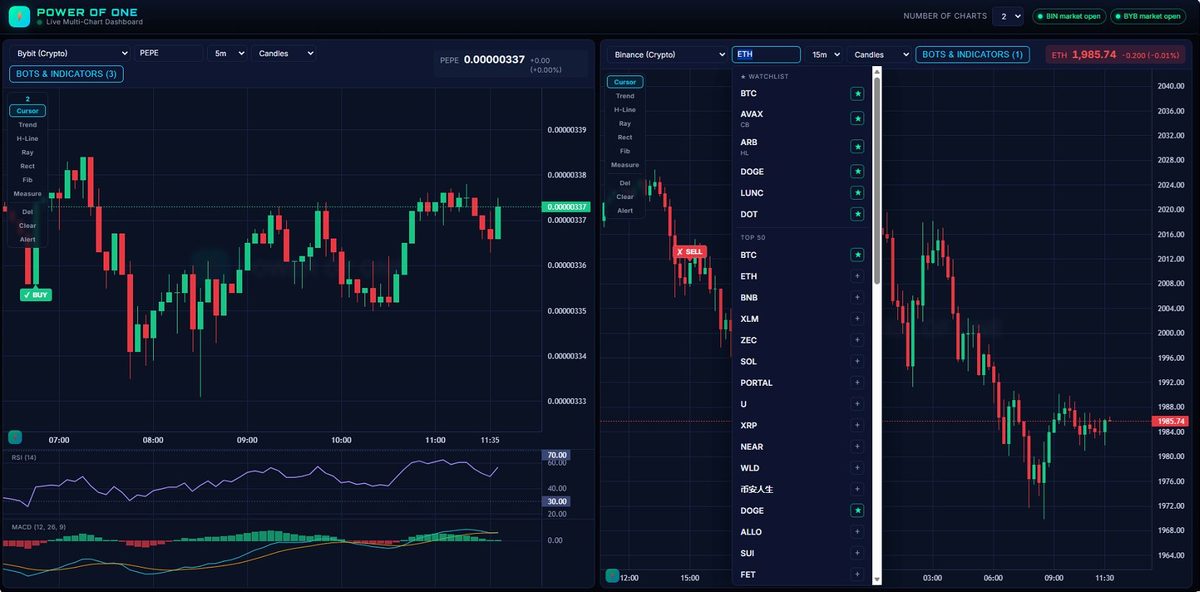
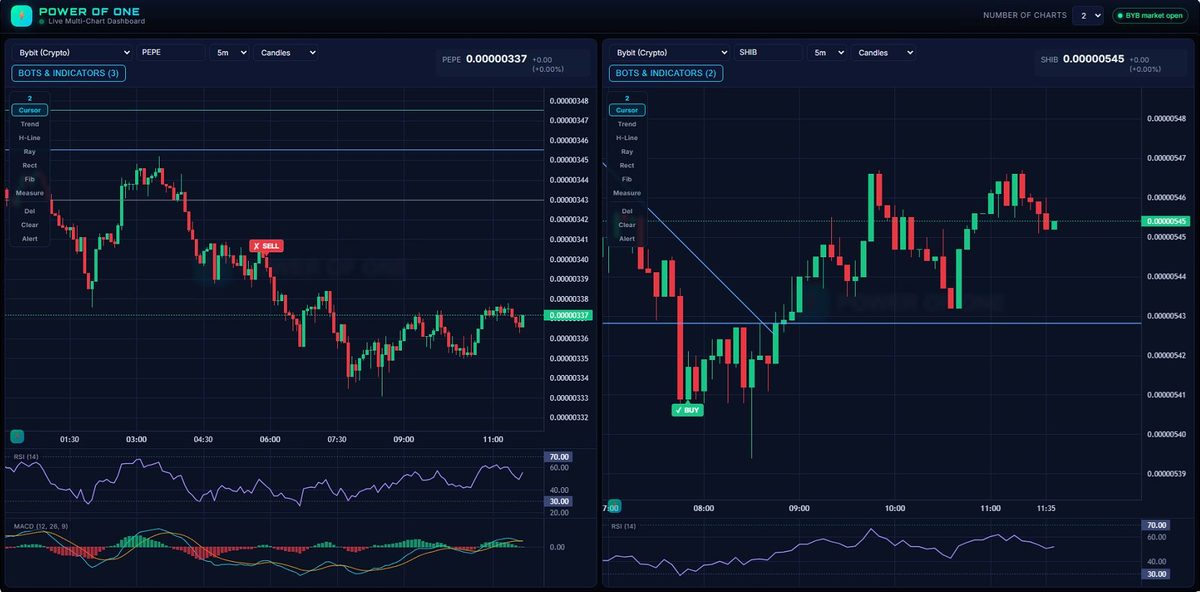
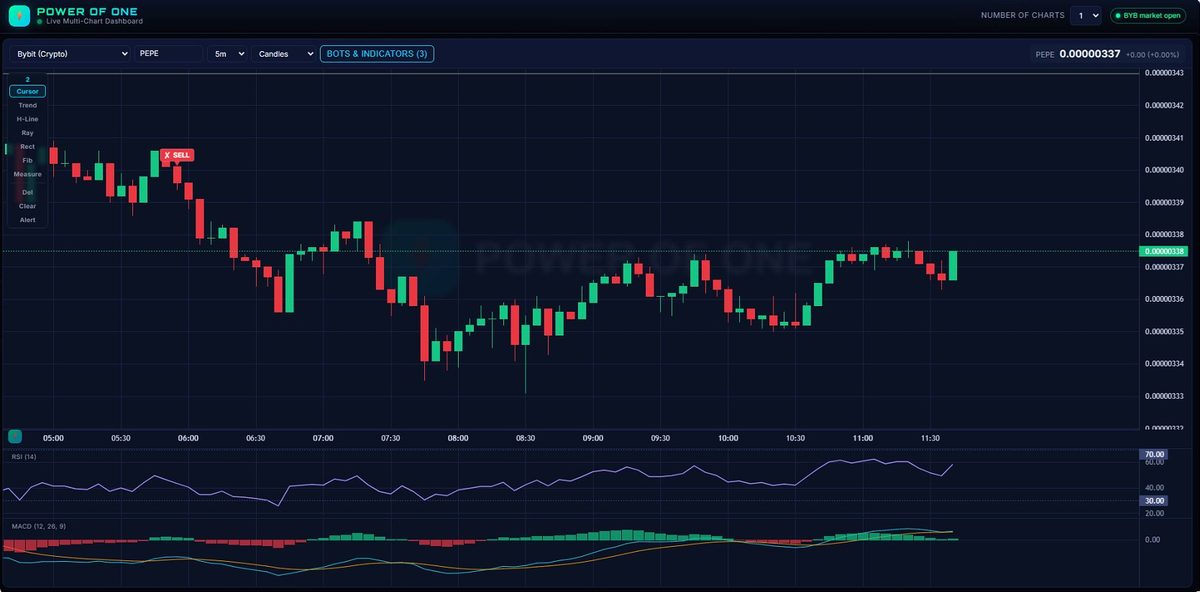
Everything the Pro plan gates —
without the meter running.
The Power of One Dashboard gives you the multi-chart trading desk traders pay monthly for — as a single app you buy once and keep.
| Feature | TradingView Free | TradingView Pro | Power of One |
|---|---|---|---|
| Charts visible at once | 1 per tab | Up to 8 (higher tiers) | ✓ Up to 8 |
| Multi-chart split layout | ✗ | Paid feature | ✓ Included |
| Monthly subscription | Free (1 chart) | Billed every month, forever | ✓ $0 — one-time |
| Crypto + stocks on one screen | Limited | ✓ | ✓ Crypto + Stocks |
| Built-in indicators | Limited on free | ✓ | ✓ 21+ included |
| Built-in BUY/SELL signal bots | ✗ | Paid Pine scripts | ✓ Drop-in, versioned |
| Runs locally / you own your data | ✗ cloud | ✗ cloud | ✓ Windows + macOS |
| Login / account required | ✓ | ✓ | ✓ None |
| Add any broker or exchange | ✗ | Limited | ✓ 10 built-in + pluggable |
| Cost over 3 years | — | Hundreds, and counting | ✓ One payment |
Comparison is for general guidance based on publicly known plan limits; check TradingView's site for their current features and pricing. The Power of One Dashboard is an independent product and is not affiliated with or endorsed by TradingView. It uses TradingView's free, open-source Lightweight Charts™ library.
From download to live charts in under a minute.
Download
One file, about 18 MB. No Python, no installers, no command line — nothing technical to set up.
Double-click
Launch it and your browser opens straight to the dashboard. That's the whole setup.
Trade
Pick how many charts you want, choose your markets, and watch them all update live, side by side.
Windows app · internet connection required for live prices · no API keys, ever.
Pay once. Watch the whole market.
Forever.
A multi-chart subscription runs roughly $25–$60 every month — hundreds of dollars a year, every year. The Power of One Dashboard is a single payment you never make again.
- ✓Up to 8 live charts on one screen
- ✓Crypto + US & Indian stocks
- ✓21+ professional indicators
- ✓Windows + macOS — both included
- ✓Free updates & pluggable data sources
- ✓Lifetime license — yours forever
EXPRESS
Get the dashboard free with Power of One Tier 2.
Buying the dashboard on its own is great. But Power of One Tier 2 members get it included — completely free — on top of the full Power of One training system.
Dashboard only
- ✓Up to 8 live charts on one screen
- ✓Crypto + US & Indian stocks
- ✓21+ professional indicators
- ✓Windows + macOS both included
- ✓Lifetime license — yours forever
Power of One — Tier 2
- ✓Multi-Chart Dashboard included FREE
- ✓All BUY/SELL bots included FREE — incl. the PowerofOne 1-Minute Bot
- ✓Full video training on the Power One Strategy
- ✓Step-by-step Claude AI setup walkthrough
- ✓Exclusive Telegram Tier group for daily signals
- ✓Private signal indicator access
- ✓Ready-to-use strategy prompt templates
- ✓Private member dashboard & email support
- ✓Lifetime access — no subscription
Your charts now call the trades.
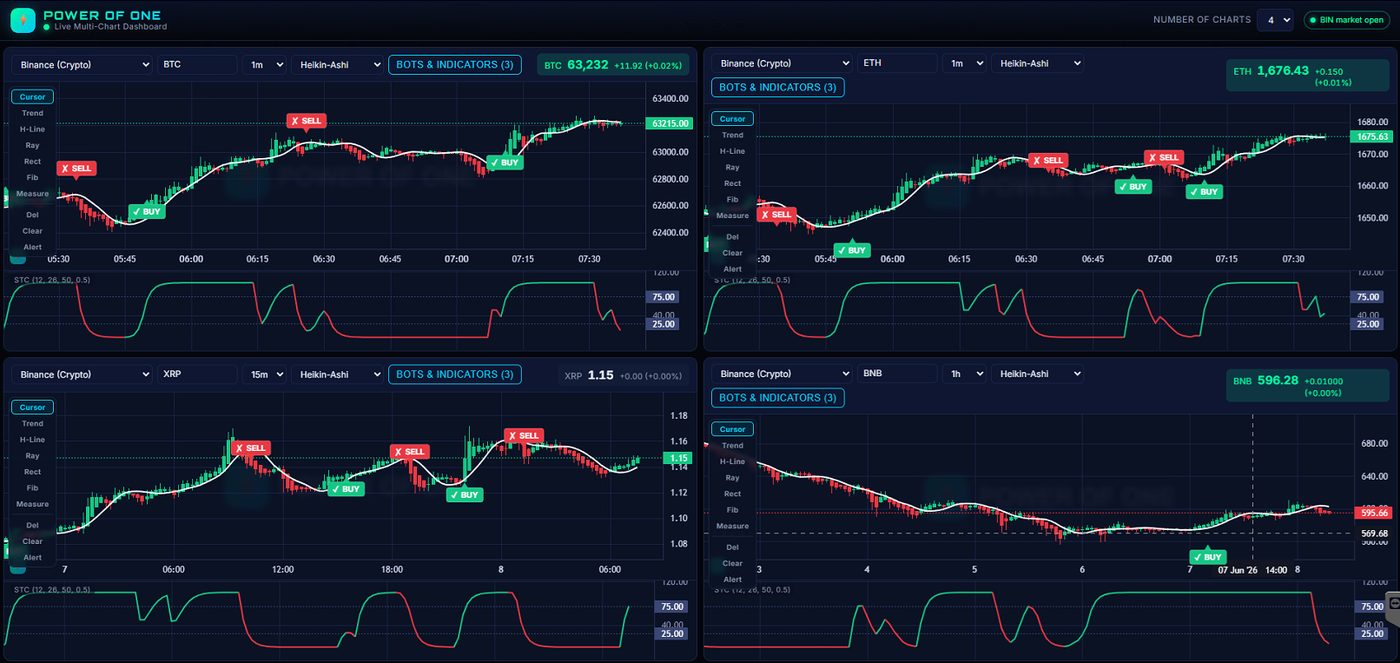
The dashboard ships with drop-in BUY/SELL bots. The flagship — the PowerofOne 1-Minute Bot — prints a signal only when three independent strategies agree, so you act on confluence instead of noise.
Triple-confirmation. One arrow.
Three confirmations must line up before a single arrow is allowed to print.
1 · Linear Regression Candles
A least-squares fit rebuilds each candle plus a signal line. Trend counts as bullish only when a green LinReg candle closes above the line.
2 · UT Bot Alerts
An ATR trailing-stop locks direction — long while price holds above the stop, short while below. It filters out whipsaw entries.
3 · Schaff Trend Cycle
A faster, cleaner momentum oscillator. It must be turning up for a BUY and turning down for a SELL.
A BUY prints only when all three agree — bullish LinReg, UT Bot long, STC rising. SELL is the mirror. The bot alternates sides, so every opposite signal also marks the exit for the last trade.
Fully automatic
Arrows appear live on every tick. No alerts to wire up, no Pine to paste.
Drop-in & versioned
New bots appear on reload — with one-click rollback to any earlier version.
Runs on Windows + macOS
Every bot runs locally on your machine, on your data. Windows or Mac — same bots, same features. Nothing leaves your desk.
The full multi-chart dashboard, 21+ indicators and lifetime license. Bots are not included.
Everything in the dashboard plus the PowerofOne 1-Minute Bot and every future bot — free — on top of the complete Power of One training system.
Bot signals are for education and analysis only and are not financial advice. Markets carry risk — trade at your own discretion.
Questions, answered.
Is it really a one-time payment?
Yes. You pay once and the dashboard is yours to keep — no monthly fees, no renewals, no per-chart upsells. (Or get it free as a Power of One Tier 2 member.)
Which operating system do I need?
The dashboard ships as native builds for both Windows and macOS — same app, same features, same one-time price. Pick the right download for your machine after checkout. (Linux users, reach out — we can help.)
Windows shows “Windows protected your PC” or Mac shows “can’t be opened” — is that a problem?
No — that’s the standard first-launch prompt every OS shows for a brand-new app it hasn’t indexed yet. On Windows: click More info → Run anyway. On macOS: right-click the app → Open → Open in the confirmation dialog (or System Settings → Privacy & Security → Open Anyway). Either way, you only do it once — every launch after that is normal.
Do I need API keys or an account?
None for the built-in exchanges. Crypto comes from Binance, Coinbase, Kraken, OKX, Bybit, Crypto.com, Gate, MEXC and Hyperliquid via their free public feeds; equities use Yahoo Finance (US + India). No login, no keys to manage.
Does it need an internet connection?
Yes — prices are live. Crypto trades 24/7; US and Indian stock prices move during their market hours.
Can I add my own exchange or broker?
Yes. The data layer is pluggable — Binance, Alpaca, Zerodha, Polygon, Interactive Brokers and others can be added by dropping in a single function.
Can I add my own BUY/SELL bot?
Yes — that’s the whole point of the bot system. Drop a single .js file into the bots/ folder next to the app, refresh the page, and it appears in the Bots & Indicators menu — no recompiling the .exe. Bots are versioned, so you can swap or roll back versions without losing the old one. The dashboard ships with RSI Extremes and EMA Cross (50/200) as working examples.
Can I get alerts on my phone?
Optional — an advanced setup. The included docs walk you through creating a Telegram bot, copying its token, and getting price-cross or signal alerts pushed to your phone. It’s entirely opt-in; the dashboard itself works perfectly with no alerts configured.
Stop flipping tabs.
See it all at once.
Own the multi-chart trading desk — one payment, no subscription, running on your own machine.
Get the Dashboard — $49 once